
Photos that hold up later
In one sentence: a photo is evidence only if you can find it later and say where and when it was taken, so organize photos by location and phase from day one.
What to photograph on an electrical job
- Before work: existing conditions, damage, utilities, the condition of what you'll touch.
- Underground before backfill: conduit runs, depth with a tape in the frame, bends, warning tape, tracer wire, bedding. Once it's buried, the photo is all you have. See Trenching vs. directional boring.
- Pull boxes and foundations before and after concrete.
- Conflicts: anything that becomes an RFI or a change.
- Installed equipment with labels and serial numbers.
Organizing in Procore
- Use the app's camera so photos land in the project with date and time.
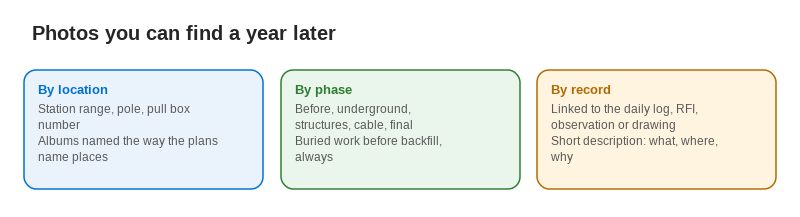
- Put photos in albums that follow your locations or phases (for example "Phase 2 – Underground – Sta 10+00 to 20+00").
- Add a short description: what, where, why.
- Link photos to the record they support: the daily log entry, the RFI, the observation, the drawing location.
Good photo habits
- A wide shot first, then the close-up.
- Something for scale: a tape, a person, a known object.
- The location in the frame or the description: station, pole, box number.
- Several photos of buried work from different angles.
PM notes
When a change or claim comes up, you'll search photos by location and date. Agree on the album names before the job starts.
In Procore's own help
Procore Support. Procore's help pages are the reference for how each screen works today.
Common mistakes
- Photos left on personal phones.
- Hundreds of photos with no album or description.
- No photo of underground work before backfill.