
Budget, commitments and subcontracts
In one sentence: the budget shows what each bid item was expected to cost, commitments show what you've agreed to pay subs and suppliers, and together they show where the job is heading before the money is spent.
Budget
- Built from budget codes in Procore's work breakdown structure (cost code plus cost type such as labor, material, equipment, subcontract).
- On a Caltrans job, one code per bid item (or group) keeps the budget aligned with the bid and with billing. See Company setup: directory, permissions and cost codes and The bid package: bid items, quantities and the Bid Item List.
- Loaded by hand or imported from a template.
- Budget changes move money between lines without changing the contract total.
Commitments
- Subcontracts and purchase orders, each with its own schedule of values.
- Subs can be invited to submit invoices against their commitment. See Progress billing and retention.
- Commitment change orders adjust them. See Change events and change orders.
Direct costs
Costs not tied to a commitment, such as small purchases or your own labor and equipment if they don't come from an integration.
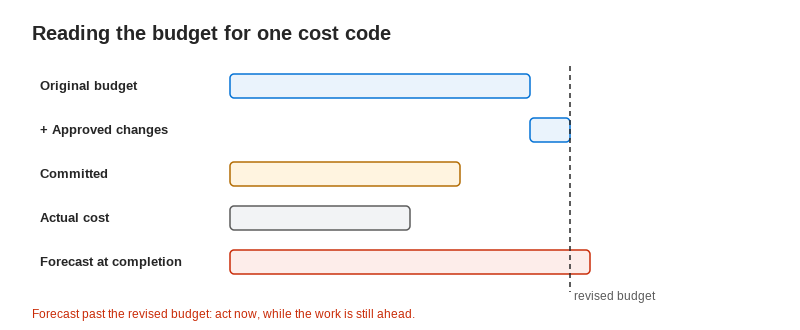
Reading the budget each month
| Column | Question it answers |
|---|---|
| Original budget | What did we bid? |
| Approved changes | What has the agency added or removed? |
| Committed | What have we agreed to pay others? |
| Actual / direct costs | What has been spent? |
| Forecast to complete | What will it take to finish? |
| Projected over/under | Where are we heading? |
PM notes
Update the forecast every month. A budget that shows only what was spent tells you about the past; the forecast is what helps you act.
In Procore's own help
Financial management guide: specialty contractor. Procore's help pages are the reference for how each screen works today.
Common mistakes
- Budget lines that don't match the bid items.
- Purchase orders placed by phone and never entered as commitments.
- No forecast, only actuals.