
Network equipment: switches, routers, SFPs and cellular
In one sentence: network equipment lets every device in the field talk to the TMC, over fiber or cellular.
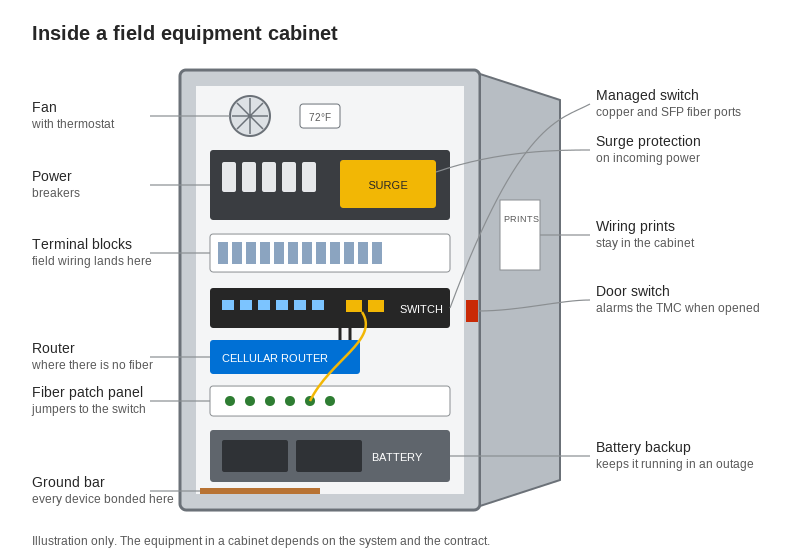
Main parts
| Item | What it is for |
|---|---|
| Ethernet switches | Connect devices in the cabinet; managed, industrial-rated |
| Fiber switches | Connect the cabinet to the fiber network |
| SFP modules | Plug-in transceivers that connect a switch port to fiber |
| Cellular routers | Wireless link to the network where there is no fiber |
| Antennas | Cellular signal for the router |
| Patch cords and CAT6 | Connect equipment in the cabinet and to nearby devices |
The models are usually named or specified in the Special Provisions: what they change and why they win; the plans include a network diagram.
Configuration
IP addresses, VLANs, management access and security settings from Caltrans's network plan. See Phase 8: Network and system configuration.
PM notes
- Match SFPs to the fiber type, wavelength and distance; the wrong SFP is a common cause of a dead link.
- Cellular routers need carrier service set up; confirm who provides the SIM and data plan.
- Save every final configuration file for the closeout package. See Closeout package checklist.
Common mistakes / what Caltrans actually checks
- Wrong SFP type for the fiber or distance.
- No SIM or data plan when the router arrives.
- Default passwords left on devices.